

Some digital-friendly websites I use to create resources for my beginner students (CLB 1-4).
I make no claims for these resources aside from the fact that I have found them useful.
FOLLOW ESL DIRECTIONS ON
THIS WEEK’S FEATURED POST

Week of Mar. 23/26
This lesson plan will teach your beginner ESL students the names and significance of common landmarks in Canadian cities. Activities include vocabulary building, a short video, discussions, and reflection questions to help students articulate their…
Keep reading
Learning focus: Podcasts
To see all of the Learning Focus podcasts on this website, visit our Spotify account.
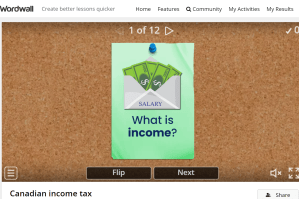
Vocabulary flashcards
- BookWidgets: Flashcard widget (Subscription required after free trial.)
- Canva (Make your own flashcards with pictures and short videos.)
- Genially (Create flashcards that include multimedia content.)
- Quizlet (Make your own flashcards (includes images). Subscription required.)
- Flippity flashcards and flexcards (Make index vocabulary cards with images and videos. Listen to this podcast (created by AI at Google NotebookLM) about the benefits for ESL teachers of using this resource in your lesson plans.)
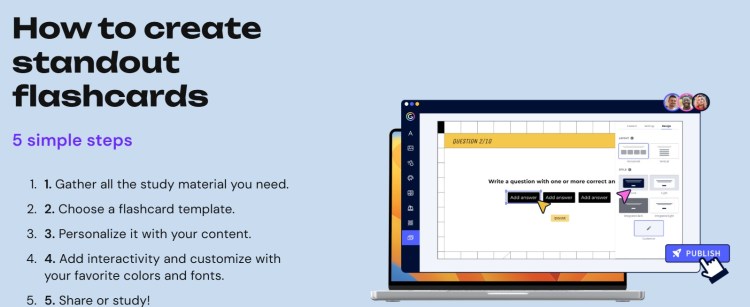
Learning focus: Genially
Want to know more about how to use Genially in your ESL classes? Listen to this podcast (created by AI at Google NotebookLM) about the benefits for ESL teachers of using Genially.
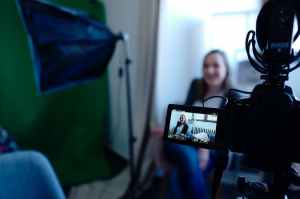
Video and multimedia resources
- Canva (Create videos for flashcards or role plays.)
- Canvastera (Create multimedia posters and lesson plans.)
- Lumen5 (Create videos in minutes. You simply need to enter a script, and the program will do the rest. Lumen5 allows you five free videos a month. After that, you need to upgrade to a paid version.)
- Padlet (After a free trial, you need to subscribe to this useful tool for gathering together lesson resources or images.)
- Pexels (Free stock images and videos.)
- TurboScribe (Produces a transcript for video files. TurboScribe will highlight the text as you play the video. Listen to this podcast (created by AI at Google NotebookLM) about the benefits for ESL teachers of using this resource in your lesson plans.)
- VideoAnt (Use this free resource to annotate YouTube videos for your students.)
- YouTube (You can create instructional videos and post them on your own free account.)
Learning focus: VideoAnt
Want to know more about how to use VideoAnt in your ESL classes? Listen to this podcast (created by AI at Google NotebookLM) about the benefits for ESL teachers of using VideoAnt.

Audio resources
- Audacity (Free, open-source cross-platform audio software.)
- Canva (Create audio for flashcards or for role plays.)
- ElevenLabs (Free site (up to 10,000 words a month) with a variety of AI voices. ElevenLabs makes it very easy to create mp3 to use as part of your lessons. Listen to this podcast (created by AI at Google NotebookLM) about the benefits for ESL teachers of using this resource in your lesson plans.)
- Luvvoice (Free AI voice generator. Voices with a Canadian accent are included. You can also add pauses and slow down the recording for your beginner students.)
- Notegpt.io (Free AI voice generator. No need to create an account. You can paste in text, upload a file, or link to an article.)
- TurboScribe (Produces a transcript for audio files or from a video link. TurboScribe will highlight the text as you play the audio.)
- Vocaroo (Free online voice recorder. Create audio recordings that you can upload to your website or create as a link.)
Learning focus: Audacity
Want to know more about how to use Audacity in your ESL classes? Listen to this podcast (created by AI at Google NotebookLM) about the benefits for ESL teachers of using Audacity.

Games
- BookWidgets games and quizzes (Dozens of useful worksheet templates and games. Subscription required after free trial. Listen to this podcast (created by AI at Google NotebookLM) about the benefits for ESL teachers of using this resource in your lesson plans.)
- Crossword Labs (Make your own crosswords to help students to learn or review vocabulary.)
- Flippity (Various free games.)
- George’s Clone Creator
- JeopardyLabs (Create a Jeopardy-style game. Great review tool.)
- LearnHip (Various vocabulary and other games.)
- Wordwall (Many interactive games. Subscription required.)
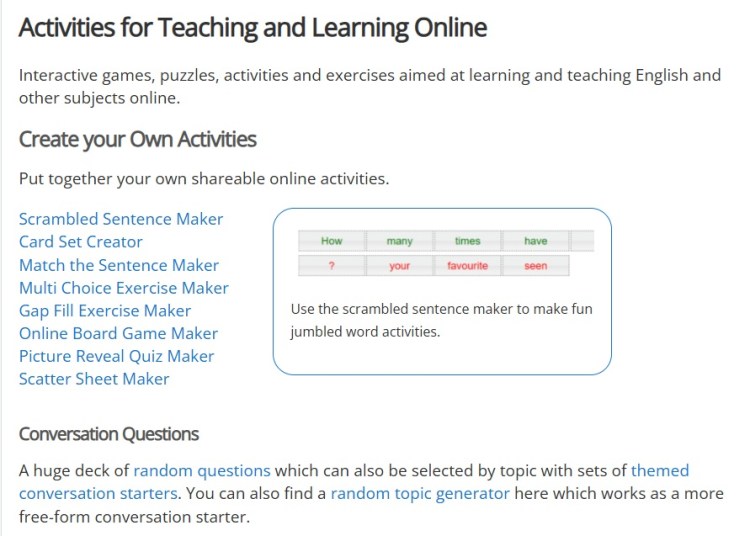
Learning focus: LearnHip
Want to know more about how to use LearnHip in your ESL classes? Listen to this podcast (created by AI at Google NotebookLM) about the benefits for ESL teachers of using LearnHip.

Find images
- Creative Commons (Excellent source of free images. Listen to this podcast (created by AI at Google NotebookLM) about the benefits for ESL teachers of using this resource in your lesson plans.)
- Pexels (Free stock images and videos.)
- Photos for Class (Source of free and Creative Commons licensed photos.)
- Tutela: ESL Image Bank (An extensive collection of free and usable images on topics such as travel and transportation; community and government services; business, commercial and consumer services; health; employment; home and housing; IT; education; and Canadian culture, society and multiculturalism. Tutela is a free resource-sharing site for Canadian teachers. You will need to create an account to access these resources.)
- Unsplash (Free stock images.)
Learning focus: Unsplash
Want to know more about how to use Unsplash images in your ESL classes? Listen to this podcast (created by AI at Google NotebookLM) about the benefits for ESL teachers of using Unsplash.

Annotated maps and virtual tours
- MapFling (Create interactive maps. Listen to this podcast (created by AI at Google NotebookLM) about the benefits for ESL teachers of using this resource in your lesson plans.)
- MapChart (Create custom maps.)
- ZeeMaps (Create interactive maps.)
- Google Earth (Create virtual tours.)
Learning focus: ZeeMaps
Want to know more about how to use ZeeMaps in your ESL classes? Listen to this podcast (created by AI at Google NotebookLM) about the benefits for ESL teachers of using ZeeMaps.

AI activity creators
- British Council: AI activities and resources for English language teachers (Comprehensive pdf guide to using AI to create lesson materials. Many free programs suggested.)
- ChatGPT (It’s hard to know where to start (or stop!) with this resource. Once you create a free account, you can enter prompts to create lesson plans, dialogues, stories, comprehension questions, vocabulary lists with definitions, and much more.)
- Diffit (Create level-appropriate dialogues, summaries, vocabulary lists with definitions, multiple-choice questions, and more.)
- Gemini Storybook (Create readers with illustrations and audio.)
- Google NotebookLM (Upload PDFs, websites, YouTube videos, audio files, Google Docs or Google Slides and NotebookLM will make summaries, study guides, comprehension questions, vocabulary exercises, and even podcasts on related topics.)
- Twee (A free AI-based activity generator specifically for ESL teachers. Twee will help you create readings, dialogues, comprehension questions, vocabulary exercises, and many other activities. Listen to this podcast (created by AI at Google NotebookLM) about the benefits for ESL teachers of using this resource in your lesson plans)
Learning focus: Diffit for teachers
Want to know more about how to use Diffit in your ESL classes? Listen to this podcast (created by AI at Google NotebookLM) about the benefits for ESL teachers of using Diffit.
RELATED PAGES

Find digital ESL resources for beginners
Here are some digital-friendly and mostly free websites I use to find resources for my ESL beginner students (CLB 1-4). The…
Keep reading
Lesson plans and other online resources
I’ve gathered helpful links for your online classes of ESL beginners (CLB 1-4) on topics such as Canada, health, work, home…
Keep readingSUBSCRIBE TO US ON YOUTUBE
Click the small arrow on the right below to see all of the ESL Directions videos, or visit the ESL Directions: Learning English YouTube playlist.
SHARE THIS PAGE:








ABOUT ESL DIRECTIONS
ESL teacher, movie buff, constant reader, and former editor and communications pro. Now a graduate of the Teaching English as a Second Language program at the University of Manitoba and an ESL teacher in Edmonton, Alberta, I specialize in teaching online classes of beginner ESL students.
FOLLOW ESL DIRECTIONS ON



 ESL Directions